
Connect headsets
Update drive-thru messages (HME Cloud)
- 01
Convert your recording: max 15 seconds, WAV PCM, mono, 16,000 Hz sample rate (Freemake Audio Converter works well).
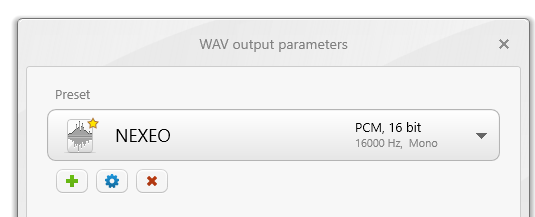
- 02
Log in to HME Cloud, find the unit and click “NEXEO – Online”.
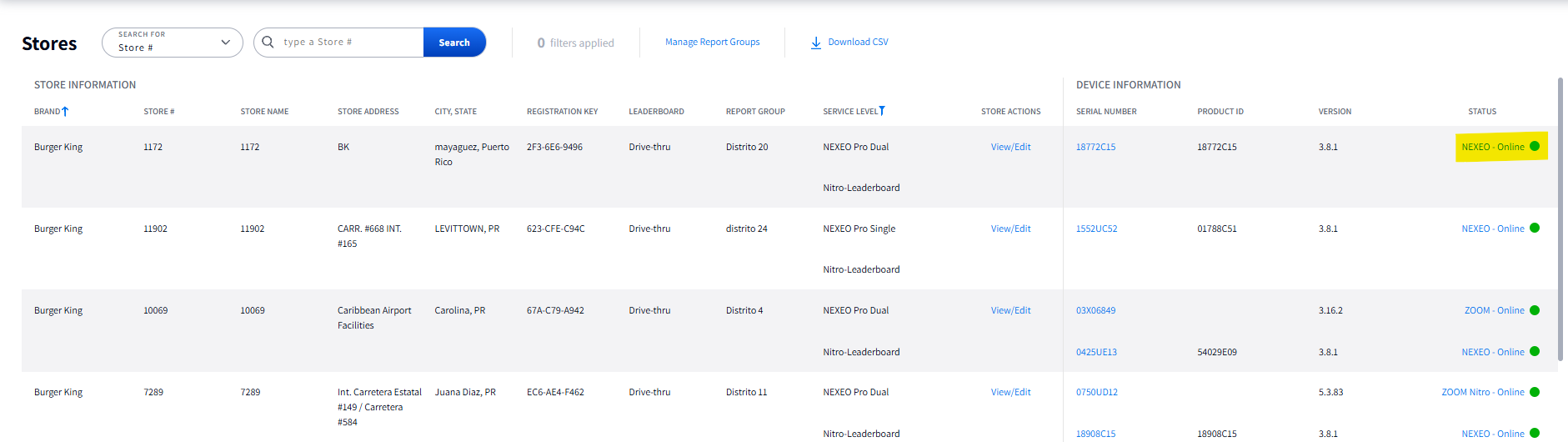
- 03
Open “Message Center”. Call us at 787-731-1000 if you need the access code.
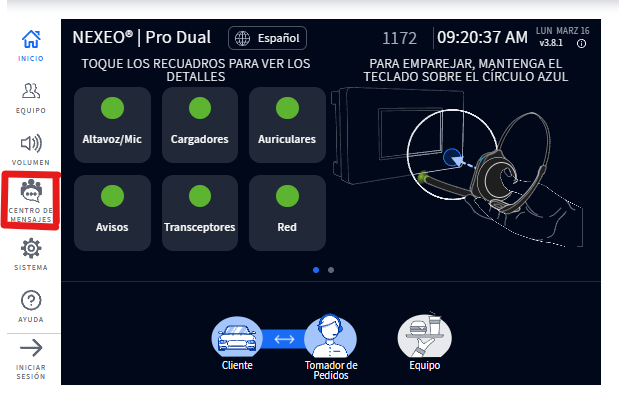
- 04
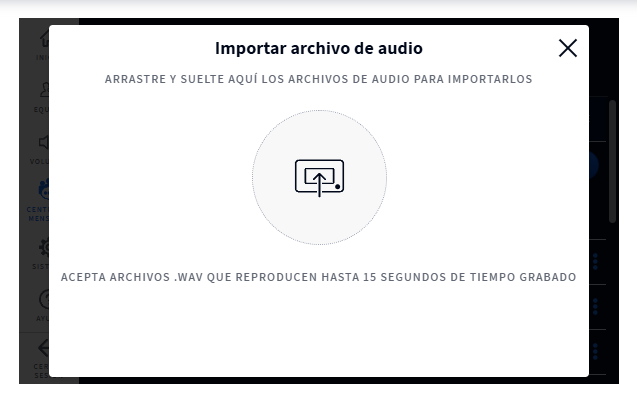
Go to “Audio Files” → “Import” and drag your file into the window.
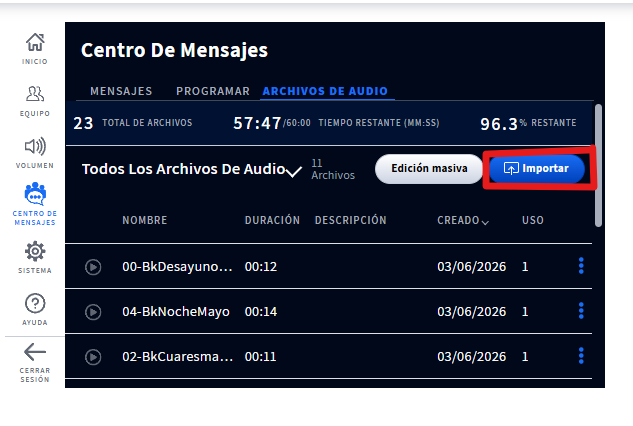
- 05
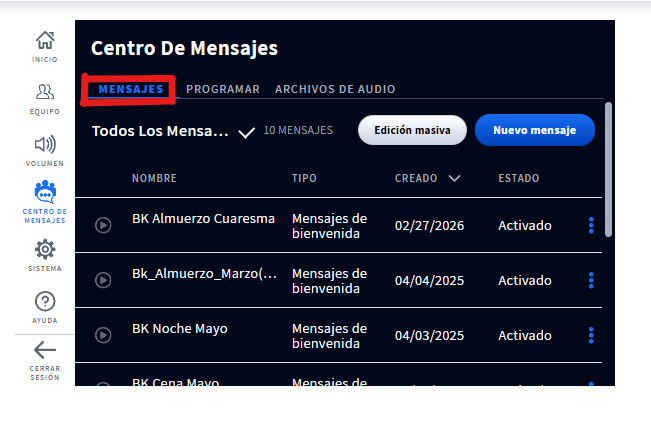
Go to “Messages”.
- 06
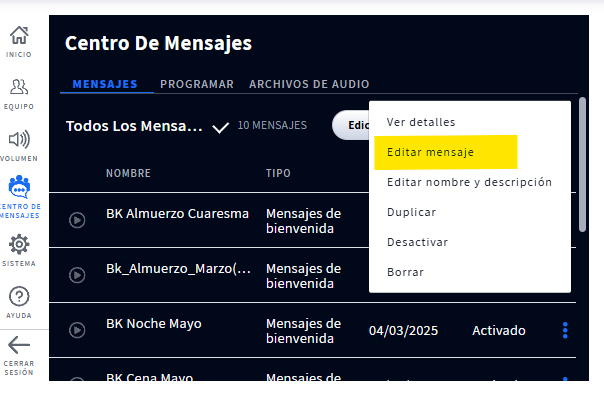
Click the 3 blue dots next to the message and choose “Edit Message”.
- 07
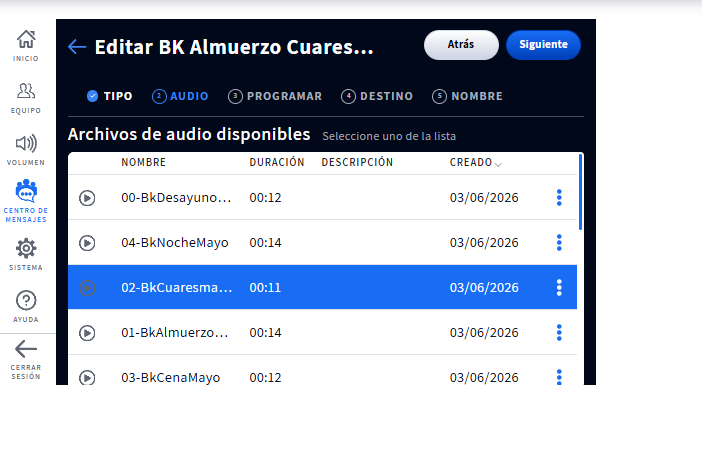
Click “Next”, select the new audio file and continue.
- 08
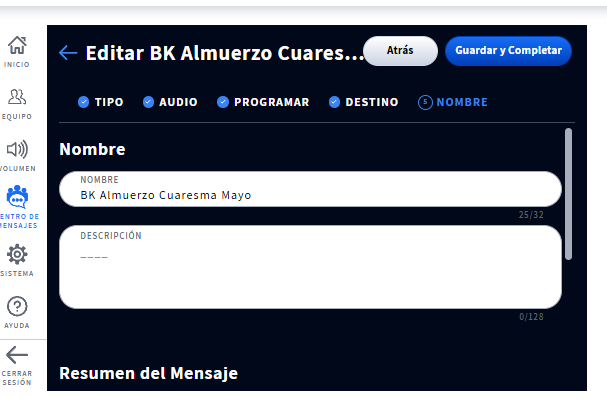
Keep clicking “Next” until “Name” and rename it to the date of the change.
Still need help?