
Music (MoodMedia & Harmony)
How to schedule your playlists
Play different playlists at different times of day, or have the unit turn off by itself after the store closes.
- 01
Select the “Schedule” option and press “+Create”.
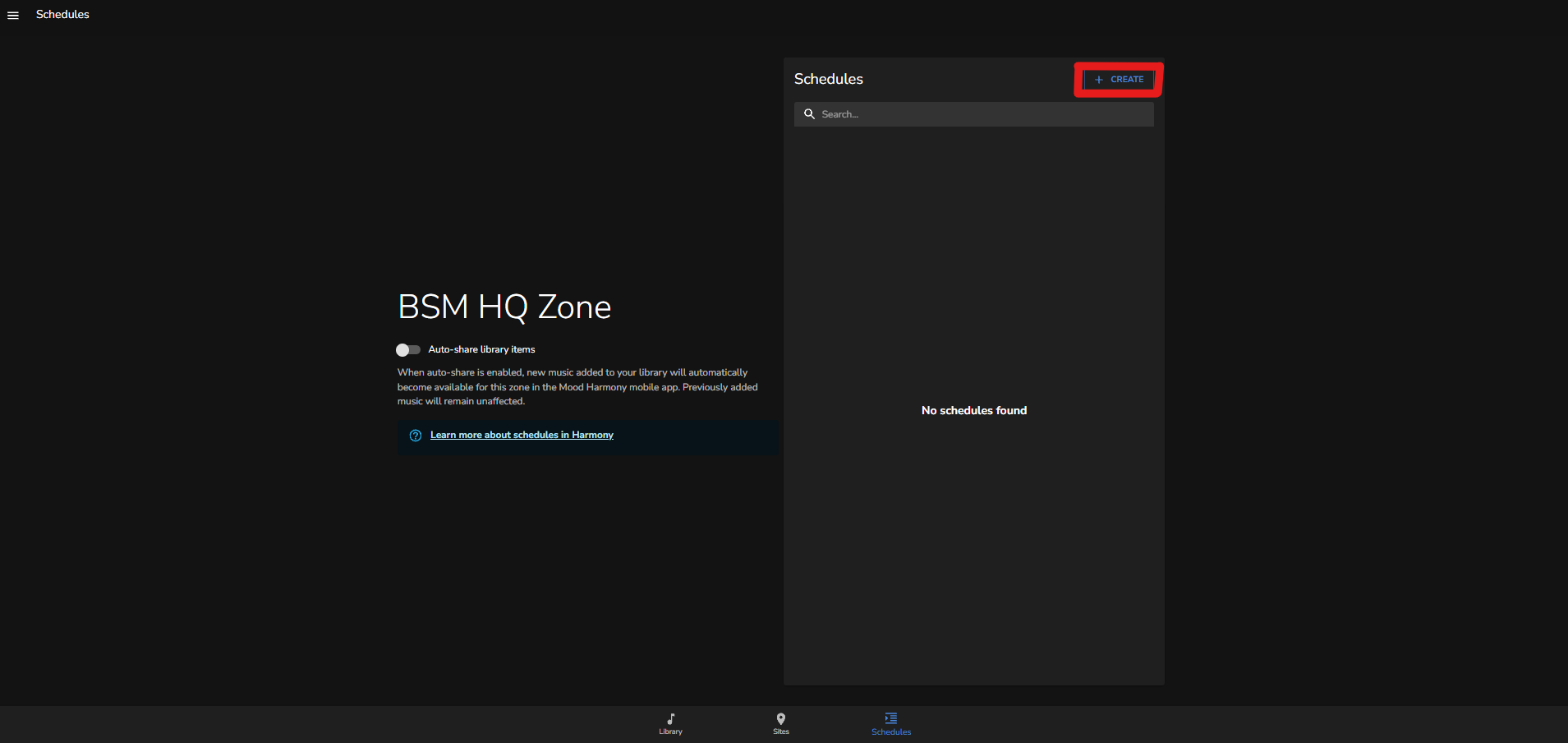
- 02
Press “Add Default Music”. This playlist plays whenever nothing else is scheduled.
- 03
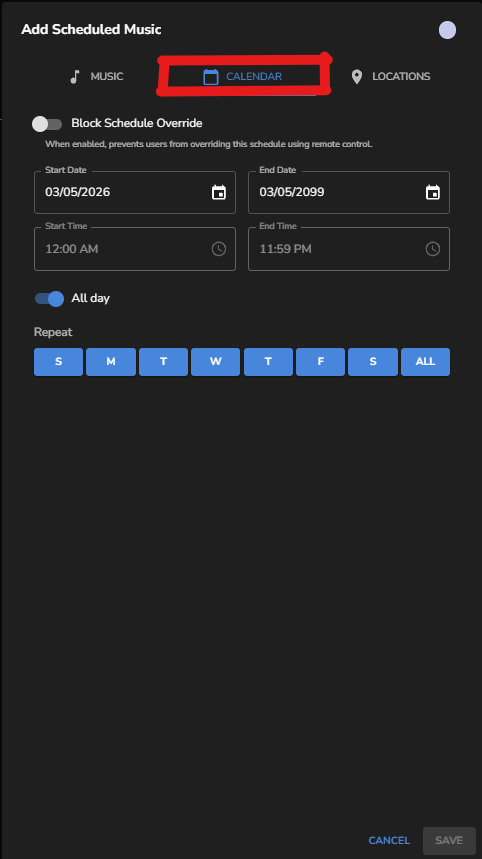
Each playlist you add needs a schedule, set in the “Calendar” tab: Start/End Date (which dates it plays), Start/End Time (which hours it plays) and, below, the days of the week.
- 04
Once the schedule is set, select “Save”.
Still need help?